
Every week someone tells me they 'lost' a day. Not to illness, not to a holiday, but to the fog, the twenty small jobs, the three phone calls that turned into one long one, the client who 'just needed five minutes'. By Friday the hours are gone, nobody can say where, and the invoice gets written from memory and a bit of guesswork. That is not a time management problem, that is a recording problem, and it is the reason I built TapSpan.
TapSpan is a simple time tracker for iPhone. You pay for it once, it keeps your records on your phone, and it does not ask you to sign up for anything. It is coming soon to the App Store at €4.99.
Why another iPhone time tracker?
Fair question. Search the App Store for a time tracker and you will find plenty, and most of them want something from you every month. A subscription, an account, a 'team workspace' for a team of one, a sync service you never asked for. For a solicitor billing in units, a plumber moving between jobs, or a consultant juggling three clients, that is a lot of overhead for what should be a stopwatch with a memory.
I have written before about subscription creep and how it quietly drains a small business. TapSpan is me putting that argument into practice. One price, once, and the app is yours.
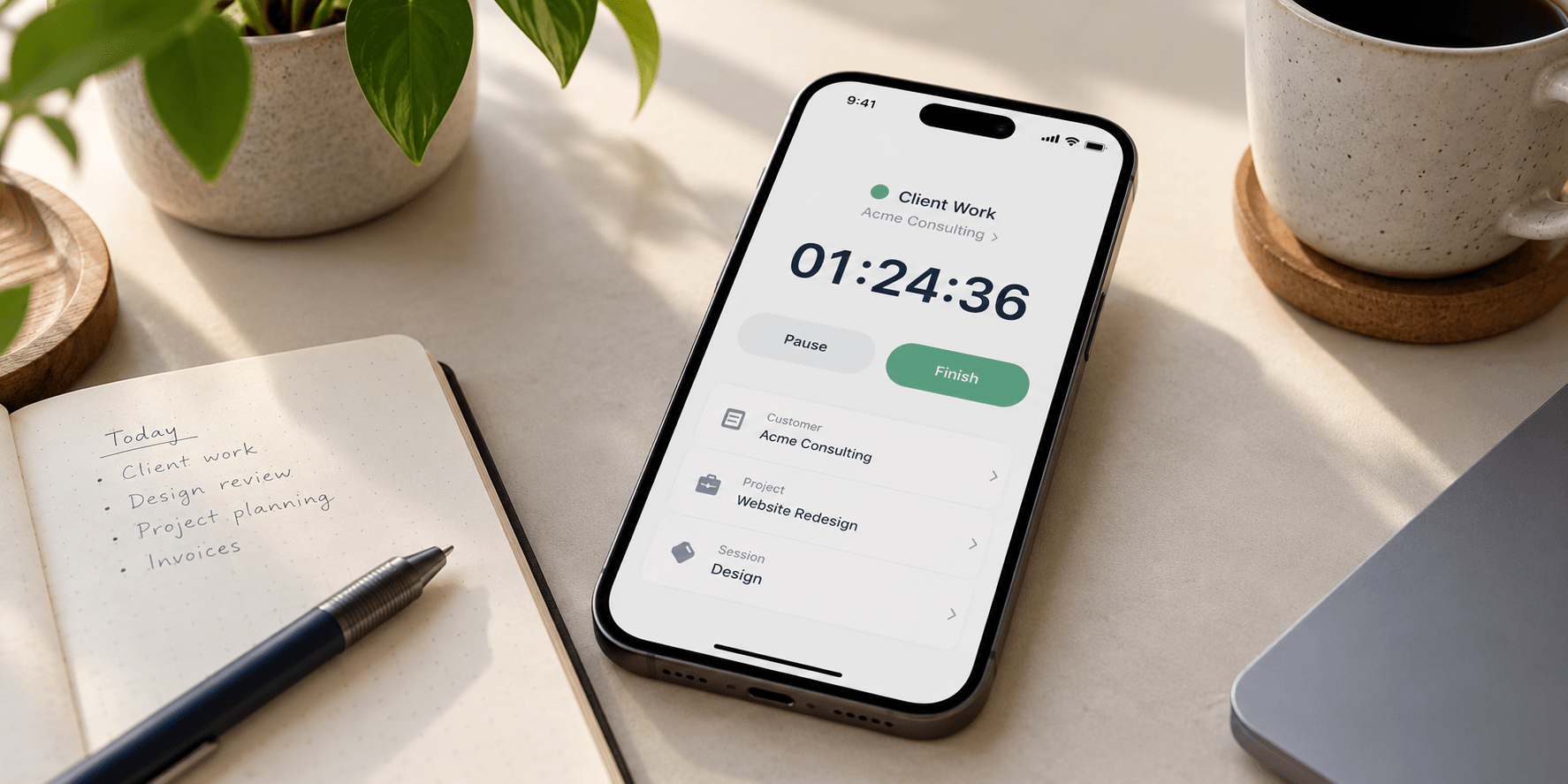
How it works: customer, job, session
The structure is deliberately plain.
- Customers are who you work for.
- Jobs sit under a customer, a matter, a project, a call-out.
- Sessions are the actual blocks of time you spend on a job.
If you are in a hurry there is a Quick Timer, so you can start the clock first and file it under the right customer and job afterwards. Hourly rates are optional, add them where you bill by the hour and leave them off where you do not.
Pause, switch and pick up where you left off
Real work rarely happens in a straight line. You start one job, the phone rings, you switch to another, and an hour later you go back to the first. TapSpan is built for exactly that. One timer runs at a time, the others wait paused, and you can return to a paused session rather than starting a new one. Only the work gets counted, not the pauses.
Forgot to stop the timer when you left the site? You can correct a session afterwards, so one slip does not ruin a day's record.
History, summaries and CSV export
At the end of the day, or the week, the History and Summary views show where the time actually went, by day, by customer and by job. When you need the numbers somewhere else, export them as a CSV file and open it in the spreadsheet or invoicing tool you already use. TapSpan does not try to be your invoicing software, it gives you accurate hours to put into it.
Who it is for
People who bill by the hour, or need to know where their day went:
- Solicitors recording time against clients and matters.
- Consultants splitting days across several clients.
- Freelancers who want honest numbers before they send an invoice.
- Plumbers and trades moving between call-outs, where the van is the office.
Private by design
Your records stay on your iPhone. There is no account to create, no analytics and no tracking in the app, and the app's App Store privacy declaration is 'Data Not Collected'. Backups are files you save yourself, using the local backup and restore built into the app, and the same goes for your CSV exports. Nothing is sent to me, because nothing needs to be.
Built natively for iPhone
TapSpan is a native iPhone app, written in Swift and SwiftUI, with your records kept in a database on the phone. It needs iOS 17 or later and works on iPhone. No web page dressed up as an app, no waiting on a server to load your own hours.
Price and availability
TapSpan will cost €4.99, paid once, with every feature included. There is no subscription and no in-app upgrade to unlock the useful bits. It is coming soon to the App Store, and you can read more about it at tapspan.app.
If you want the design side of the story, the screens and the thinking behind the website, it is on the TapSpan project page.
Time is the one thing you bill for that you cannot get back, so at least write it down properly.